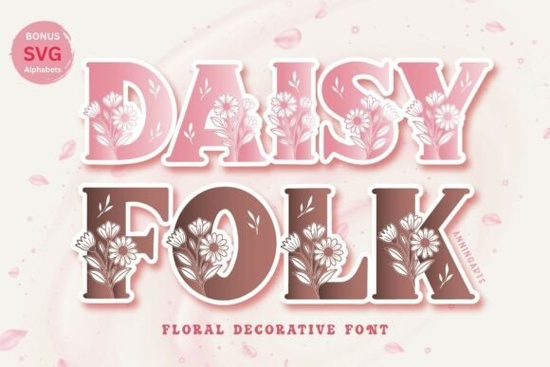
If you're looking for a soft, floral-inspired font that brings a touch of springtime charm to your projects, Daisyfolk Font is a thoughtful choice. This all-caps decorative typeface features delicate daisy illustrations woven into each letter, creating a natural, boho-chic feel perfect for seasonal designs, wedding invitations, handmade cards, and craft projects. Whether you’re working in Procreate, Cricut Design Space, or traditional design software, the OTF and SVG formats make it easy to use across platforms.
What makes Daisyfolk Font special?
Beyond its charming visual style, Daisyfolk stands out because of its practicality. It includes all uppercase letters A–Z and numbers 0–9, so you can create everything from “Bride & Groom” signs to custom labels with ease. The inclusion of SVG files means you can seamlessly integrate it into digital cutting machines like Cricut or Silhouette ideal for scrapbooking, vinyl decals, and fabric transfers.
The font’s subtle hand-drawn quality gives it a warm, personal touch. It’s not overly busy, but still full of character perfect when you want your design to feel organic and inviting. It works especially well paired with pastel colors, linen textures, or watercolor backgrounds.
Where can you use Daisyfolk Font?
- Wedding stationery – Create elegant save-the-date cards, seating charts, or ceremony programs with a fresh, romantic vibe.
- Greeting cards – Perfect for birthdays, baby showers, or Mother’s Day, where a gentle floral theme adds warmth.
- Crafts & DIY projects – Use it on wooden signs, fabric tags, or paper lanterns for a cottagecore aesthetic.
- Print-on-demand products – Ideal for t-shirts, mugs, and tote bags with a nature-inspired message.
It also fits naturally into seasonal branding spring florals, garden parties, or even Easter-themed promotions. Because it’s a standalone decorative font, it doesn’t require complex layout adjustments. Just place it where you need it, and let the daisies do the talking.
How to get the most out of this font
For best results, pair Daisyfolk with simpler fonts for body text. Try using a clean sans-serif like Open Sans or Lato alongside it to balance the design. Keep color palettes light think mint green, blush pink, butter yellow, or soft beige to highlight the font’s delicate nature.
If you’re designing in Procreate, import the SVG file directly and scale it without losing quality. For Cricut users, the SVG format ensures crisp cuts every time. And if you're exploring other creative tools, the OTF version works smoothly in Adobe Illustrator, Photoshop, and Canva.
More fonts with a similar vibe
If you enjoy the soft, nature-inspired look of Daisyfolk, you might also like these related options:
- Fairy Font – Whimsical and dreamy, great for magical themes and children’s books.
- Circle Font – Minimalist yet artistic, ideal for modern floral patterns.
- Cross Stitch Embroidery Fonts – Perfect if you’re into needlework and textile crafts.
- Soccer Font – A fun contrast for those who love bold, playful styles (though very different in mood).
You can explore more floral and nature-themed designs by checking out Daisyfolk Font on Creative Fabrica, where you’ll find high-quality downloads and user reviews from fellow creators.
Final thoughts: Is Daisyfolk right for your next project?
If you’re drawn to soft, floral designs with a handmade feel, this font delivers exactly what it promises without overwhelming your layout. It’s simple to use, versatile across media, and ready to inspire creativity in both hobbyists and small business owners.
Before you download, remember to check the license terms most Creative Fabrica fonts allow commercial use, which is great for print-on-demand sellers.
Quick checklist before you start:
- ✅ Confirm you’ve downloaded both OTF and SVG files
- ✅ Test the font in your preferred software (Cricut, Procreate, etc.)
- ✅ Pair it with a complementary, simpler font for balance
- ✅ Use pastel or earth-tone colors to match the boho vibe
- ✅ Save a copy of your design file for future edits
Once you’ve played with it a few times, you’ll see how effortlessly it fits into your creative workflow.
Explore Design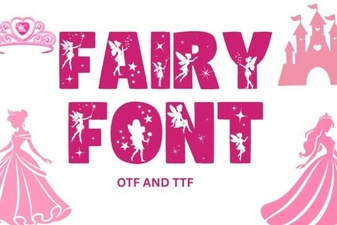 Fairy Font: Whimsical Typography for Creative Projects
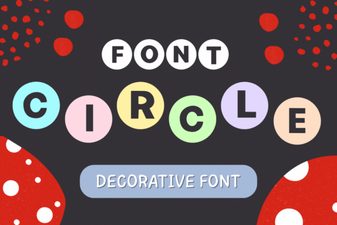 Creative Circle Font Design Ideas for Your Projects
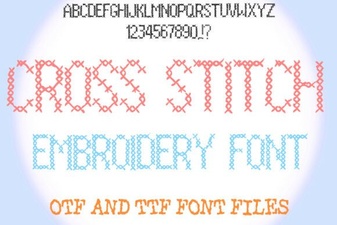 Creative Cross Stitch Embroidery Font Designs for Craft Projects
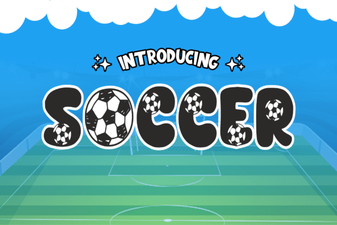 Creative Soccer Font Designs for Sports Projects
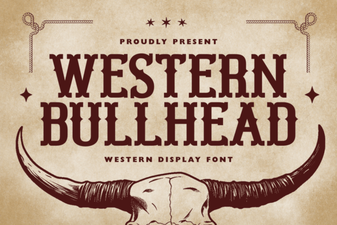 Western Bullhead Font for Bold, Creative Design Projects
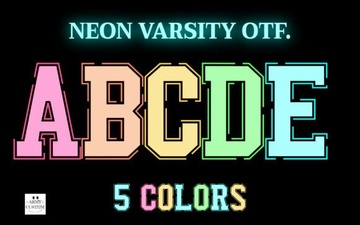 Neon Varsity Font for Bold, Creative Design Projects